Free tools can send audio. CUE makes sure your client hears it.
Every time we run an ad for CUE, someone replies with a free tool that "does the same". It's a fair point: there are plenty of free ways to send audio from one computer to another.
That's not really the problem. The problem is letting a client hear your DAW live, wherever they are, without asking them to install software, create an account, change settings or troubleshoot your setup.
Your client shouldn't have to become an audio engineer to hear your work. And you shouldn't have to become their IT department. That's what CUE is for.
One click for you. One link for them.
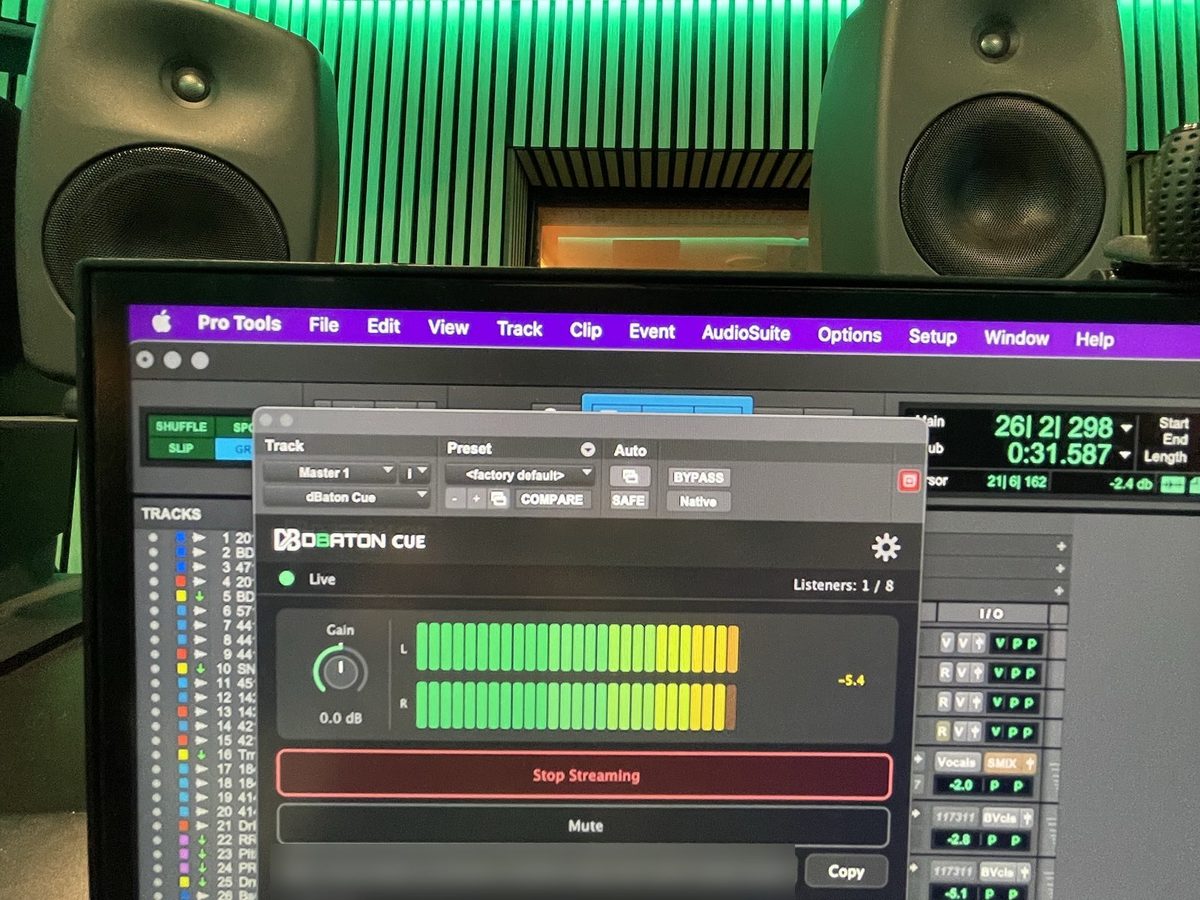
- You press Start. CUE sits on the master bus of Pro Tools, Logic, Cubase, Reaper, Ableton or any other DAW, on Mac or Windows. No routing, no server, no export.
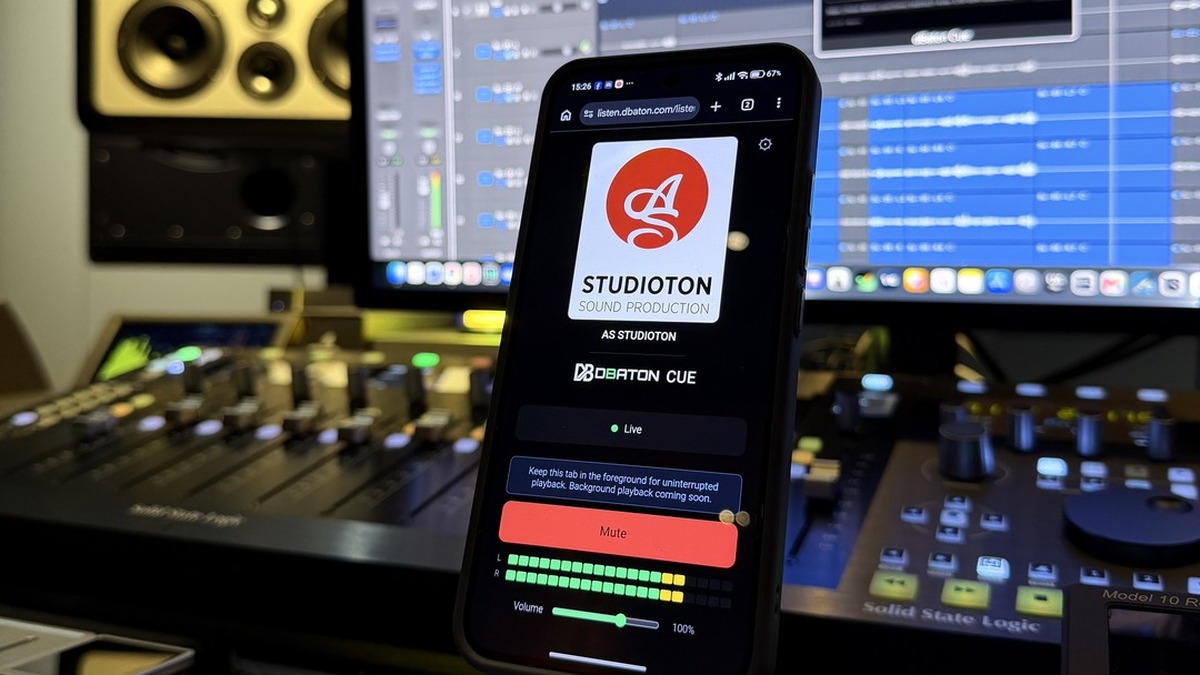
- They open a link. In any browser, on a laptop, a tablet or a phone. No download, no account, no app.
- They hear your DAW. Not your microphone, not a meeting, not a screen share. Your actual session, live, as you play it.
- You keep working. Change the vocal, the snare or the strings, and they hear it as you do it.
And it's yours: pay once, or pay monthly until you own it. No subscription for as long as you work. See pricing.
Stop bouncing just to ask "what do you think?"
The usual loop: change something, bounce, upload, send, wait, get feedback, change it again, bounce again. With CUE the loop is: change it, press play. (We wrote about that workflow in more detail in How to send your mix to a client without bouncing a single file.)
What about the free tools?
They're good software, built for other jobs. Zoom and Meet are excellent for meetings. SonoBus is excellent for musicians playing together, when everyone installs it. OBS is excellent for broadcasting to an audience through Twitch or YouTube. BlackHole and Soundflower are excellent for routing audio inside your own computer. AirMixa, Auxfeed and VBAN are excellent for checking your mix on other devices on your own Wi-Fi.
CUE is designed around one requirement: the person listening does nothing except open the link.
| Free tools | CUE | |
|---|---|---|
| Your client joins with just a link | Sometimes | ✓ |
| Your client installs nothing | Sometimes | ✓ |
| No account for your client | Sometimes | ✓ |
| Straight from your DAW, made for music | Depends on the tool | ✓ |
| Private, not a public platform | Depends on the tool | ✓ |
| Finds a working connection by itself | Up to you | ✓ |
| Nothing for you to build or maintain | Often you build it | ✓ |
| Your studio's name and logo on the client's page | Rarely | ✓ |
Free tools can absolutely work. CUE is for when you don't want "work" to be part of the workflow.
Don't make your client troubleshoot your audio
"Can you refresh?" "Try another browser." "Can you install this?" "You need to change this setting." "Hang on, I'll restart the stream."
Every one of those lines costs you something in front of a client: their time, their patience, and a little of the impression that you have everything under control. Five minutes before a review with a director, it's the last conversation you want.
CUE turns all of that into one line: "Here's the link."
And if their network is difficult? That's CUE's job, not theirs.
Home fibre, hotel Wi-Fi, a phone on 4G, an office that only lets web traffic through: every network behaves differently. CUE takes care of the connection, so neither of you has to.
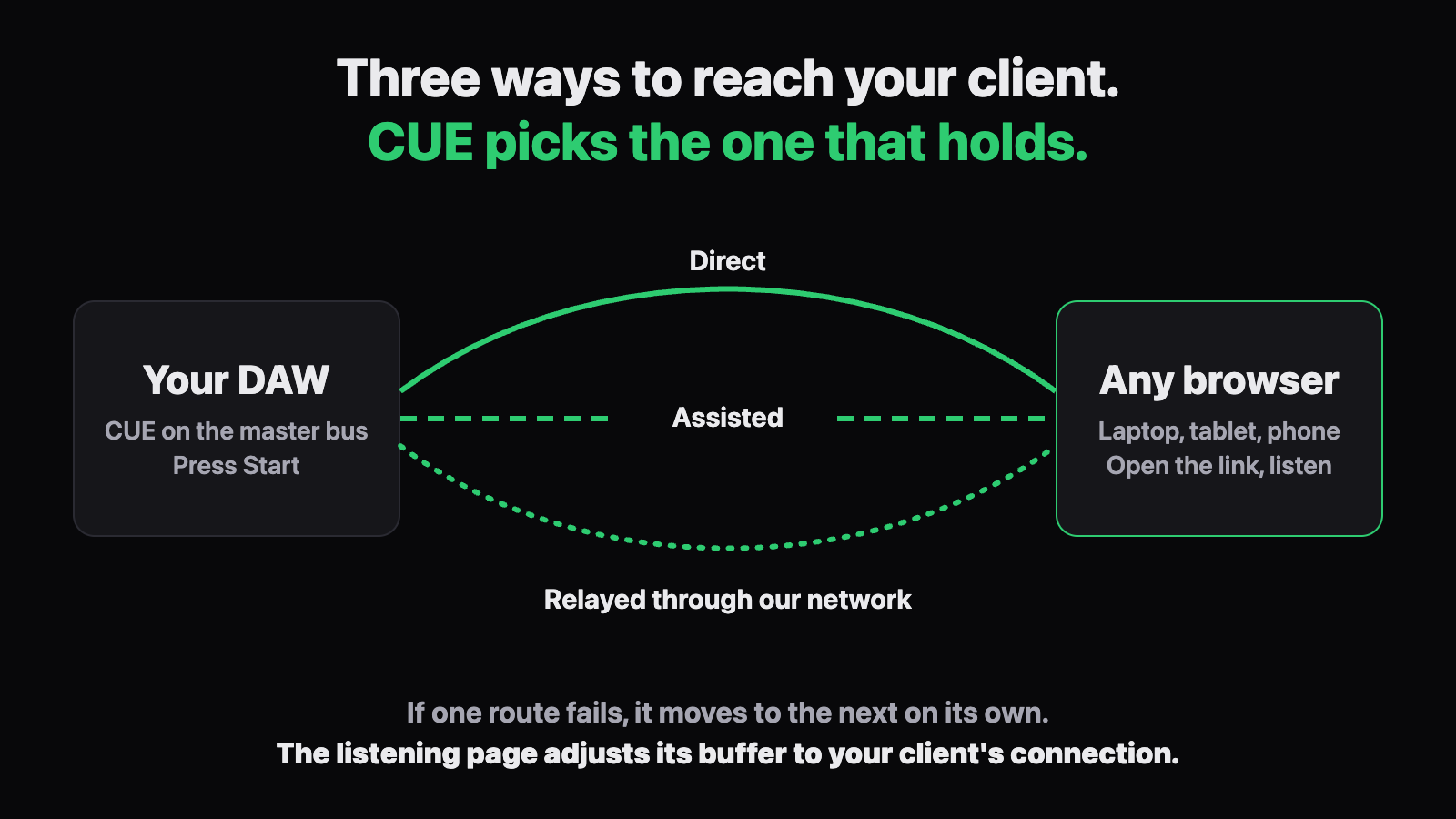
- Three ways to reach your client, chosen for you. Straight to them, assisted, or relayed through our own network. CUE settles on the one that holds, and if one fails it moves to the next on its own.
- A buffer that adjusts itself. The listening page keeps an eye on your client's connection. If it starts to wobble, it adds a little margin so the audio doesn't break up; when things calm down, it brings the delay back down.
- Professional, and still nothing to configure. No ports to open, no settings, on your side or theirs.
- Made for the awkward combinations. Pro Tools on a Mac, Cubase on Windows, a director on an iPhone with the silent switch on (the page tells them), a producer behind a strict office network. Those combinations of DAW, operating system and browser, on both ends, are where streaming setups usually give trouble. CUE is made so they just play.
It looks like your studio, not like a tool
Your studio's name and logo can appear on the page your client opens. A director or an agency doesn't see a generic streaming app; they see your studio sending them the session.
- Private by design. It isn't a public livestream: the audio is encrypted on its way to them, we don't record or store it, and only the people you send the link to can listen.
- Up to 8 listeners at once: client, producer, director, artist, each on their own device, wherever they are.
- Live, as you play it. Under half a second behind you on a good connection, measured on real sessions.
- Proven. CUE 1.0.21 (October 2026) is the result of beta testing from April to July 2026, and of paying studios and composers using it in their sessions since August 2026.
"So why isn't it free?"
Because what you pay for isn't the audio. It's everything around it that makes it work every time: the three routes, the network that relays your session when a direct connection isn't possible, the listening page that adapts to each client. That costs us money every month.
The services that offer this kind of stability on their own infrastructure usually pass that cost on as a subscription: every month, for as long as you work. CUE was born to fix exactly that. Pay once and own it, or pay monthly until it's yours and then stop paying. The people you send the link to never pay anything.
A free tool costs nothing until the day it fails in front of a client. Count what one awkward session costs you, and it's a different calculation.
"Can't I just build this myself?"
In theory, yes. In practice, here's the list: a virtual audio driver, routing out of your DAW, streaming software, a server or platform to send it to, a private page for the client, a player that behaves on Safari on an iPhone and on Chrome on Android, encryption, sample-rate mismatches, drift, and the update to your DAW, your operating system or their browser that quietly breaks one of those pieces the week of the deadline.
And even when it all works on your machine, you can't promise it works on theirs. When it doesn't, the person troubleshooting is your client.
Or you can press Start.
Want to see a full session with a client? Here's how to let a client hear your mix live, while you work.
Quick answers
Is there a free alternative to CUE?
Free tools can cover parts of the job, in less formal and less stable ways: a meeting app with a music mode, a stream on a public platform, an app everyone has to install, or a setup you build and maintain yourself. They can work, but without guarantees: if the connection drops or your client's browser misbehaves, there's nobody behind it but you. CUE does the whole job in one piece, and it's built for sessions with clients.
Does my client need an app or an account?
No. They open the link in any browser, on any device.
Will it work if my client is on an office network?
Usually, yes. If the direct routes are blocked, the listening page reaches them through our network, using the same kind of connection as any website.
Can I use CUE to check my mix on my own phone too?
Yes. The link works on your own phone or tablet exactly the same way, whether you're in the next room or across town.
Try it with your own session
Put CUE on your master bus and send the link to someone who isn't in the room. That's when the difference becomes obvious.
The dBaton team